Word Search
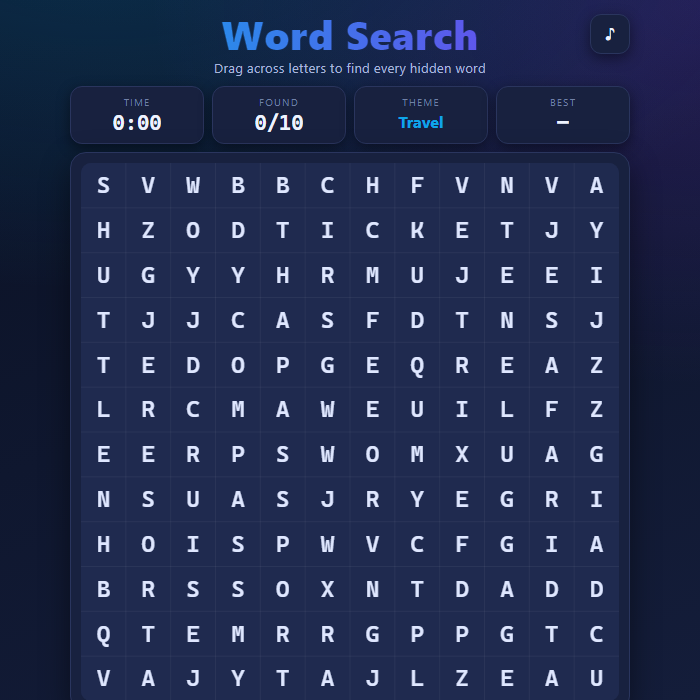
A modern, responsive word-search puzzle. Hunt down 8-12 themed words hidden in a letter grid by dragging a straight line across them - horizontal, vertical, diagonal, forwards or backwards. Pick your difficulty, beat the clock, and chase your best time.
About Word Search
Word Search drops you into a freshly generated grid of letters with a themed word list to track down. Every puzzle is built on the fly: a theme is chosen (Space, Ocean, Forest, Music, and more), its words are woven into the grid in random straight lines, and the gaps are filled with random letters so each game is different. Words can run in eight directions depending on difficulty, and a built-in line solver verifies your drags so a found word always ticks off the list cleanly. A live timer and found-counter keep the pressure on, and your fastest clear for each difficulty is saved locally so you always have a target to beat. The whole game is drawn on an HTML5 canvas with crisp letters and smooth capsule highlights, and it scales to fit any screen from a phone to a desktop.
How to play Word Search
Find every word from the list inside the letter grid. Each word sits in a perfectly straight line. On Easy words go only across and down; Medium adds diagonals; Hard also hides words backwards. Press and drag from a word's first letter to its last letter in one straight swipe - if you traced a real word it locks in with a colored highlight and gets crossed off the list. Clear the whole list to win, and try to do it faster than your saved best time. Stuck? Tap Hint to reveal one remaining word. Use New puzzle (or switch difficulty) to generate a fresh board anytime.
Controls
Mouse or touch: press on the first letter and drag in a straight line to the last letter, then release to submit. Keyboard: Arrow keys or WASD move the cursor; Enter sets the start cell, move to the end cell and press Enter again to confirm; Esc cancels the current trace. Shortcuts: H for a hint, N for a new puzzle, M to mute. The difficulty buttons set grid size and which directions words can hide.
Tips & tricks
- Scan one direction at a time - sweep each row left to right, then each column, before hunting diagonals.
- Look for a word's rare letters like Q, X, Z or J first; they stand out and pin down where the word must be.
- On Hard, remember words can read backwards, so check both ends of any promising streak of letters.
- Lock in the long words early - they leave fewer hiding spots and make the short ones easier to spot.
- Save the Hint for when you are truly stuck; clearing without hints keeps your best-time runs honest.
Frequently asked questions
How do you play Word Search?
Find every word from the list inside the letter grid. Each word sits in a perfectly straight line. On Easy words go only across and down; Medium adds diagonals; Hard also hides words backwards. Press and drag from a word's first letter to its last letter in one straight swipe - if you traced a real word it locks in with a colored highlight and gets crossed off the list. Clear the whole list to win, and try to do it faster than your saved best time. Stuck? Tap Hint to reveal one remaining word. Use New puzzle (or switch difficulty) to generate a fresh board anytime.
What are the controls for Word Search?
Mouse or touch: press on the first letter and drag in a straight line to the last letter, then release to submit. Keyboard: Arrow keys or WASD move the cursor; Enter sets the start cell, move to the end cell and press Enter again to confirm; Esc cancels the current trace. Shortcuts: H for a hint, N for a new puzzle, M to mute. The difficulty buttons set grid size and which directions words can hide.
Is Word Search free to play online?
It is. Word Search costs nothing to play here — no account, no app store, no paywall. Just open the page and go.
Can I play Word Search on mobile?
Yes. Word Search works in any modern mobile browser with full touch support, so it plays on phones and tablets as well as on a laptop or desktop — nothing to install.
Who made Word Search?
Word Search was built in-house by the GameStudioHub team using open web technology (HTML5), which is why it runs instantly without any download.
More free puzzle games
Word Search is one of many free puzzle games on GameStudioHub. Browse the whole Puzzle collection, or head back to the home page to explore every category.