Traffic Dodge
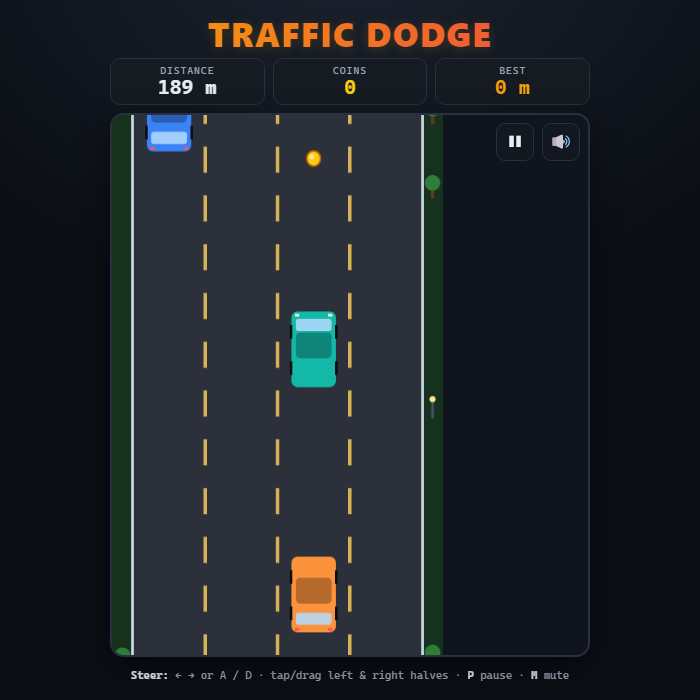
Top-down endless highway dodger. Weave between four lanes, dodge slower and oncoming traffic, scoop up coins, and survive as the speed keeps climbing. Score is the distance you drive before you crash.
About Traffic Dodge
Traffic Dodge is a fast, arcade-style endless driver. You pilot a single car up a scrolling multi-lane highway while other vehicles barrel toward you - some crawling along in your direction, others rushing down the wrong way. There is no finish line: the road never ends, the traffic never stops, and the only thing that matters is how far you can push before a fender meets a bumper. The longer you last, the faster everything moves, so every run becomes a tighter, twitchier test of reflexes than the last. Glittering coins drift down between the cars to tempt you out of the safe lane, and the road, cars, lane markings, and roadside scenery are all drawn live on an HTML5 canvas - no images, no downloads, just pure code. Your best distance is saved locally so there is always a number to beat.
How to play Traffic Dodge
Your car sits near the bottom of the screen and the highway scrolls toward you. Steer left and right between the four lanes to slip past oncoming and slower traffic - touching any other car ends the run instantly. Grab the golden coins as they slide down to pad your stats, but never chase one into a wall of metal. The game speeds up the farther you travel, so stay calm and read the lanes ahead. When you crash, your distance and coins are tallied, your best is updated, and you can jump straight back in for another attempt.
Controls
Keyboard: Left/Right arrow keys or A / D to change lanes, P to pause/resume, M to mute. Mouse/Touch: tap the left or right half of the road to step one lane that way, or press and drag your car directly to the lane you want. Tap, click, or press any key on the start and crash screens to begin a new run.
Tips & tricks
- Hug the center lanes when traffic is light - it leaves you an escape route on both sides instead of trapping you against a shoulder.
- Look at the lanes near the top of the screen, not at your own car. Reacting early to a gap is far safer than swerving at the last second.
- Oncoming cars (with bright headlights) close the distance much faster than same-direction cars - give them extra room.
- Only go for a coin if there is a clear, safe lane to reach it; a single coin is never worth a crash.
- Speed ramps up the longer you survive, so settle into a rhythm of small, deliberate lane changes rather than panicked double-swerves.
Frequently asked questions
How do you play Traffic Dodge?
Your car sits near the bottom of the screen and the highway scrolls toward you. Steer left and right between the four lanes to slip past oncoming and slower traffic - touching any other car ends the run instantly. Grab the golden coins as they slide down to pad your stats, but never chase one into a wall of metal. The game speeds up the farther you travel, so stay calm and read the lanes ahead. When you crash, your distance and coins are tallied, your best is updated, and you can jump straight back in for another attempt.
What are the controls for Traffic Dodge?
Keyboard: Left/Right arrow keys or A / D to change lanes, P to pause/resume, M to mute. Mouse/Touch: tap the left or right half of the road to step one lane that way, or press and drag your car directly to the lane you want. Tap, click, or press any key on the start and crash screens to begin a new run.
Is Traffic Dodge free to play online?
Totally free. You can play Traffic Dodge in the browser without paying, downloading or signing up for anything.
Can I play Traffic Dodge on mobile?
Yes. Traffic Dodge works in any modern mobile browser with full touch support, so it plays on phones and tablets as well as on a laptop or desktop — nothing to install.
Who made Traffic Dodge?
Traffic Dodge was built in-house by the GameStudioHub team using open web technology (HTML5), which is why it runs instantly without any download.
More free racing games
Traffic Dodge is one of many free racing games on GameStudioHub. Browse the whole Racing collection, or head back to the home page to explore every category.