Chess
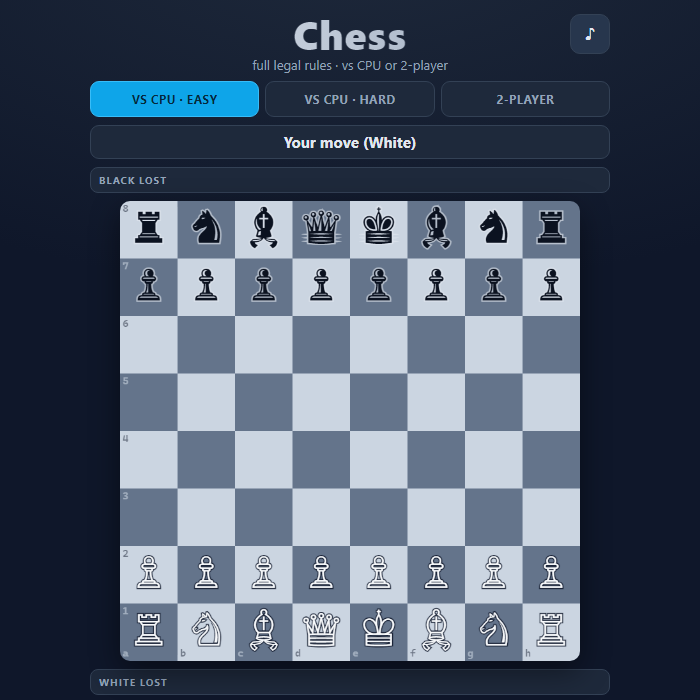
A complete, rules-accurate game of chess you can play against the computer or with a friend on the same device. Every legal move is supported and no illegal move is ever allowed.
About Chess
Chess is the classic strategy game of two armies facing off across a 64-square board, each commanding a king, queen, two rooks, two bishops, two knights, and eight pawns. This version implements the full rulebook: every piece moves exactly as it should, plus castling on both sides, en passant captures, and pawn promotion with a piece chooser. The engine constantly checks king safety, so you can never accidentally make a move that leaves your own king in check, and it correctly recognizes check, checkmate, stalemate, and drawn positions. Play solo against a computer opponent with two difficulty settings, or pass the device back and forth in 2-player mode. The board renders crisp Unicode chess figures with highlighted legal destinations, last-move markers, captured-material trays, and a running material advantage so you always know where you stand.
How to play Chess
Pick a mode at the top: VS CPU Easy, VS CPU Hard, or 2-Player. White always moves first. Tap (or click) one of your pieces and its legal destination squares light up with dots; capture squares get a red ring. Tap a highlighted square to move there. If a pawn reaches the far rank, a small menu lets you promote it to a queen, rook, bishop, or knight. The banner above the board tells you whose turn it is and warns you when a king is in check. The game ends automatically on checkmate, stalemate, the 50-move rule, or insufficient material. Use New game to restart, Undo to take back a move, and Flip to rotate the board.
Controls
Mouse/Touch: tap a piece to select it, then tap a highlighted square to move. Tap the piece again or tap elsewhere to deselect. On promotion, tap your chosen piece in the popup. Keyboard: Arrow keys or WASD move the on-board cursor; Enter or Space selects a piece and then confirms its destination; U undoes, N starts a new game, F flips the board, Esc deselects, and M toggles mute. During promotion you can press Q, R, B, or N to choose.
Tips & tricks
- Control the four center squares early with your pawns and knights — central pieces influence more of the board.
- Castle early (tap your king two squares toward a rook) to tuck your king into safety and connect your rooks.
- Before every move, glance at the check warning and scan what your opponent's last move now threatens.
- On Hard, the CPU grabs free material and plays tactically, so avoid leaving pieces undefended; trade down when you're ahead on the captured-material tray.
- Use Undo to study a position — take back a blunder, try a different idea, and learn the consequences.
Frequently asked questions
How do you play Chess?
Pick a mode at the top: VS CPU Easy, VS CPU Hard, or 2-Player. White always moves first. Tap (or click) one of your pieces and its legal destination squares light up with dots; capture squares get a red ring. Tap a highlighted square to move there. If a pawn reaches the far rank, a small menu lets you promote it to a queen, rook, bishop, or knight. The banner above the board tells you whose turn it is and warns you when a king is in check. The game ends automatically on checkmate, stalemate, the 50-move rule, or insufficient material. Use New game to restart, Undo to take back a move, and Flip to rotate the board.
What are the controls for Chess?
Mouse/Touch: tap a piece to select it, then tap a highlighted square to move. Tap the piece again or tap elsewhere to deselect. On promotion, tap your chosen piece in the popup. Keyboard: Arrow keys or WASD move the on-board cursor; Enter or Space selects a piece and then confirms its destination; U undoes, N starts a new game, F flips the board, Esc deselects, and M toggles mute. During promotion you can press Q, R, B, or N to choose.
Is Chess free to play online?
Yes — Chess is completely free on GameStudioHub. There's no download, no install and no sign-up; it opens and plays right in your browser.
Can I play Chess on mobile?
Yes. Chess works in any modern mobile browser with full touch support, so it plays on phones and tablets as well as on a laptop or desktop — nothing to install.
Who made Chess?
Chess was built in-house by the GameStudioHub team using open web technology (HTML5), which is why it runs instantly without any download.
More free 2 player games
Chess is one of many free 2 player games on GameStudioHub. Browse the whole 2 Player collection, or head back to the home page to explore every category.