Battleship
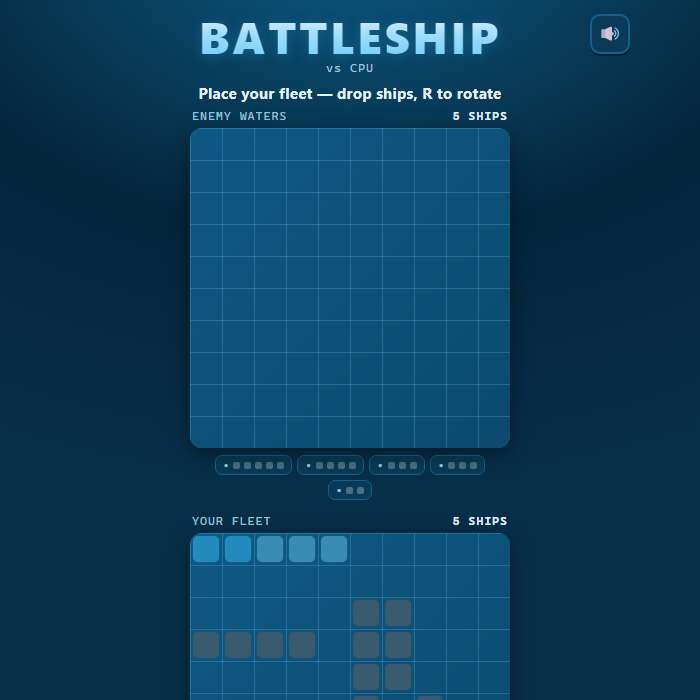
Classic naval guessing duel on two 10x10 grids. Hide your five-ship fleet, then trade salvos with a cunning computer admiral until one fleet is sent to the bottom. Includes a smart hunt-and-target AI and an optional pass-and-play mode for two captains on one device.
About Battleship
Battleship is a head-to-head game of deduction fought across two ocean grids. Each side secretly arranges a fleet of five vessels — a 5-cell Carrier, a 4-cell Battleship, two 3-cell ships (Cruiser and Submarine), and a 2-cell Destroyer — then calls out coordinates trying to find and sink the enemy's hidden hulls. A "miss" splashes harmlessly; a "hit" lands on steel; sink every cell of a ship and it goes down. The first commander to destroy the entire enemy fleet wins. This version pairs a clean nautical interface with a genuinely smart opponent: the CPU searches the sea with an efficient checkerboard pattern, and the instant it draws blood it locks on, probes adjacent cells, deduces the ship's orientation, and hammers along that axis until the vessel is sunk. A relaxed auto-demo plays a full battle on the start screen so you can see exactly how a round flows before you take command.
How to play Battleship
Pick VS CPU or Pass and Play, then press Play. First you position your fleet on the bottom grid: move the highlighted ship and tap (or press Enter) to drop it, pressing R to rotate between horizontal and vertical. Ships cannot overlap or hang off the edge. Use Auto-place to scatter the whole fleet instantly, then press Start battle. Now fire at the top "enemy waters" grid by tapping a cell (or move the cursor with the arrow keys and press Enter). Watch the announcements for Hit, Miss, and Sunk results, and track the enemy's remaining ships in the fleet bar. Keep firing and survive the CPU's return salvos until one fleet is wiped out. In Pass and Play, each captain places privately behind a ready screen and the device is handed over between turns.
Controls
Mouse/touch: tap your grid to drop ships during setup, tap Rotate or Auto-place to arrange the fleet, then tap enemy cells to fire. Keyboard: Arrow keys or WASD move the cursor, Enter or Space drops a ship / fires a shot, R rotates a ship during placement, M toggles mute. On-screen buttons cover Rotate, Auto-place, Start battle, New game, and Reset W/L.
Tips & tricks
- Spread ships apart and avoid clustering them in one corner — a smart opponent that lands one hit will sweep outward and find neighbors fast.
- When you score a hit, immediately probe the four adjacent cells to learn the ship's direction, then fire straight down that line to finish it.
- Use Auto-place for a quick, well-distributed layout, then tweak only the ships you want to reposition.
- Hugging your ships against the grid edges removes one direction the enemy has to check, but predictable edge lines are easy to comb — mix it up.
- Track the remaining-ships bar: once the big 5-cell Carrier and 4-cell Battleship are sunk, the leftover hulls are short and harder to corner, so hunt patiently.
Frequently asked questions
How do you play Battleship?
Pick VS CPU or Pass and Play, then press Play. First you position your fleet on the bottom grid: move the highlighted ship and tap (or press Enter) to drop it, pressing R to rotate between horizontal and vertical. Ships cannot overlap or hang off the edge. Use Auto-place to scatter the whole fleet instantly, then press Start battle. Now fire at the top "enemy waters" grid by tapping a cell (or move the cursor with the arrow keys and press Enter). Watch the announcements for Hit, Miss, and Sunk results, and track the enemy's remaining ships in the fleet bar. Keep firing and survive the CPU's return salvos until one fleet is wiped out. In Pass and Play, each captain places privately behind a ready screen and the device is handed over between turns.
What are the controls for Battleship?
Mouse/touch: tap your grid to drop ships during setup, tap Rotate or Auto-place to arrange the fleet, then tap enemy cells to fire. Keyboard: Arrow keys or WASD move the cursor, Enter or Space drops a ship / fires a shot, R rotates a ship during placement, M toggles mute. On-screen buttons cover Rotate, Auto-place, Start battle, New game, and Reset W/L.
Is Battleship free to play online?
It is. Battleship costs nothing to play here — no account, no app store, no paywall. Just open the page and go.
Can I play Battleship on mobile?
Yes. Battleship works in any modern mobile browser with full touch support, so it plays on phones and tablets as well as on a laptop or desktop — nothing to install.
Who made Battleship?
Battleship was built in-house by the GameStudioHub team using open web technology (HTML5), which is why it runs instantly without any download.
More free 2 player games
Battleship is one of many free 2 player games on GameStudioHub. Browse the whole 2 Player collection, or head back to the home page to explore every category.